Security 51 Document Verification Guide
Every field on the desk — and how forgeries hide in perfect ink.
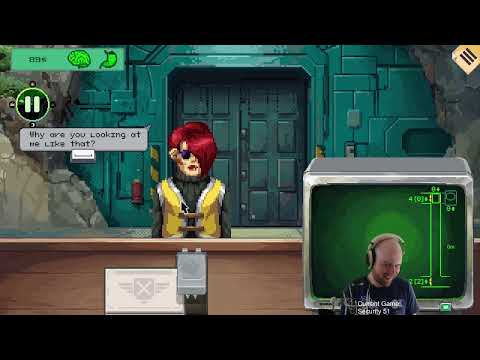
Document verification is the spine of Security 51. Alawar built on the Papers, Please foundation: visitors present passports, facility passes, medical certificates, and verbal orders while you compare every field against the on-screen record and today’s bulletin. A single mismatched digit can justify denial even when the person looks harmless — because below the checkpoint, harmless is often a costume.
This guide walks each document type and common forgery pattern after the August 12, 2026 Steam launch (App 4246860). Pair it with Spotting Anomalies because clean paperwork does not rule out swollen necks or wrong speech, and with Elevator Headcount because groups with valid IDs still break personnel rules.
Core comparison loop
For every visitor, run the same stack unless the bulletin adds exceptions:
- Name — must match across passport, pass, and verbal introduction.
- ID number — passport and pass numbers must align; watch transposed digits.
- Photo — face on documents must match the person; hair changes are not automatic fails unless the bulletin says otherwise.
- Position and clearance — job title and clearance level must authorize the requested destination level.
- Time window — shift schedules and appointment times must fall inside allowed hours.
Deny when any mandatory field conflicts. The game tracks violations; repeated mistakes feed into Quarantine Protocol scenarios and long-term endings covered in Endings.
Passport and facility pass
Passports establish identity; facility passes establish permission inside Area 51. Spoofers love partial matches — correct name, wrong ID — because rushed guards glance at names only. Slow down. Drag documents side by side and call out numbers aloud if it helps.
Patch v0.0.1.105 explicitly added visitors with incorrect passport or pass numbers. If you learned the demo before that patch, retrain your eyes. Fake medical certificates were also retuned so forgeries are distinguishable after tutorial updates — see Launch Patch Notes.
Photos and bulletin overrides
Some days the bulletin demands photo match; other days instructions say documents alone decide entry. A common player trap: photo looks off, but the bulletin says allow when paperwork is valid. Follow the bulletin — instructions override gut feeling unless a separate anomaly flag triggers X-Ray Scanning or biometrics from Fingerprint and Blood Tests.
When photos disagree, note whether the mismatch is cosmetic (beard, glasses) or structural (different bone structure, wrong gender presentation on record). Cosmetic mismatches sometimes appear on legitimate staff after long shifts below; structural mismatches more often precede duplication anomalies.
Medical certificates and special papers
Medical certs gate access when illness outbreaks or quarantine rules activate. Forgeries often use correct headers with wrong patient names or expiration dates buried in small print. Compare issue date against the in-game calendar. If the tutorial flagged fake certs, use the updated tells — blurry stamps, wrong department codes — rather than legacy demo assumptions.
Verbal orders appear rarely but matter: a scientist citing emergency authorization must still match clearance records. Deny when the voice claims rank the pass does not support.
Clearance levels and destination floors
The elevator shaft descends miles into labs, containment, and unnamed levels. Clearance on the pass must cover the floor requested. A janitor with Level 2 clearance should not ride to Level 5 without an escort notation — if escorts are required that day, count escort and visitor together per Elevator Headcount.
Watch for “too perfect” documents: crisp printing, zero wear, every field aligned. Anomalies sometimes present flawless paperwork to exploit tired guards. Behavioral tells in Spotting Anomalies break the illusion.
Speed without sloppiness
Longer shifts (post-playtest patch) mean more visitors per day. Build a muscle-memory order: name, number, photo, clearance, time. Use the Verification Checklist between visitors. If sanity drops, buy food before the next shift per Sanity and Supplies — exhaustion causes document skips.
New players should finish Getting Started first, then route confusing days through Early Shifts Walkthrough. Veterans comparing Alawar’s loop to Lucas Pope should read Security 51 vs Papers, Please for philosophical differences — here, wrong stamps can resurrect three shifts later.
Document verification is never the whole job. It is the baseline that lets X-ray, blood tests, and quarantine decisions mean something. Master the desk first; the horror earns its punch when the ink was always lying.
Frequently Asked Questions
Quick answers to the most common questions.
What documents do I check in Security 51?
Typically passport, facility pass, photos, clearance level, and time windows. Bulletins may add medical certificates or photo-match rules on specific days.
Should I deny when the photo does not match?
Only when the bulletin requires photo match. Some instructions allow entry if paperwork is valid even when photos look wrong — follow the daily rules.
How do I spot fake medical certificates?
Compare name, issue date, and department codes against the record. Post-patch forgeries use identifiable errors the tutorial highlights after v0.0.1.105.
Do document mistakes end the game immediately?
Some violations are instant reprimands; others surface shifts later as anomalies or story consequences. Treat every deny/allow as permanent record.
Where do I practice document checks safely?
The free Steam demo covers early document types. Use our Document Verification guide and Verification Checklist while playing demo shifts.